

Ombee Mobile Support
Need help? Start here.
Covered by Ombee Club
Every Ombee plan includes free Ombee Club membership — earn scholarship points each month, unlock members-only deals, and put up to 2 points toward your mortgage. No extra cost, no contracts.
Learn more
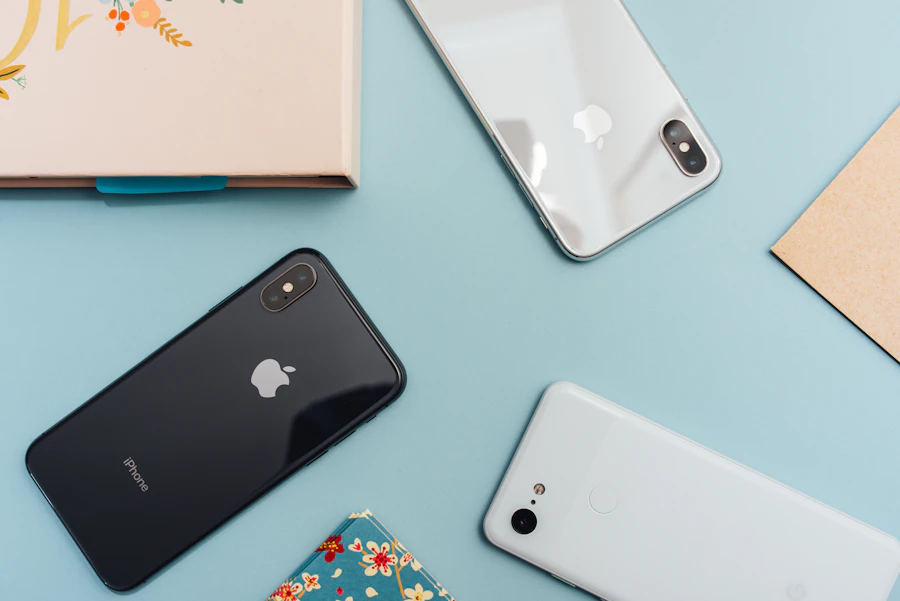
Bring your phone to Ombee
Most phones just work on Ombee. Check your device in minutes, keep your current number, and activate with a free eSIM — our team can walk you through every step.
Check your phoneMore to explore

Ombee how-to videos
Short, friendly walkthroughs for activation, eSIM setup, and getting the most from your rewards.
Watch videos
Community & guides
Browse step-by-step guides and answers from the Ombee community and our support team.
Explore guidesBeware of phishing texts
Ombee will never ask for your password or a verification code by text. If a message looks suspicious, don't tap the link.
Learn how to stay safeAvoid gift card scams
Ombee never accepts gift cards as payment. If someone asks you to pay your bill with gift cards, it's a scam.
Learn moreHow can we help?
Answers about switching, plans, coverage, troubleshooting, and your Ombee Club rewards. Still stuck? A real person is one call away.
Switching & Activation
Can I keep my current phone number?
Yes. You keep your existing number when you switch to Ombee — it transfers over during activation. To move it, you’ll need three things from your current carrier: your account number, your transfer (port-out) PIN, and the billing zip code on that account.
How long does it take to switch?
About 10 minutes. You order your plan, install your eSIM, and transfer your number. Your current phone keeps working throughout, so there’s no gap in service. Number transfers are usually instant — occasionally they take a little longer if your old carrier is slow to release the number or some of the transfer details don’t match, and we’ll help sort that out if it happens.
Do you run a credit check?
No. There’s no credit check to join Ombee, no deposit, and no long-term contract. You can leave anytime.
How do I install my eSIM?
Ombee is eSIM-only — nothing is mailed to you. Your eSIM is sent to your registered email as a QR code, and you install it during activation.
Start here: open your welcome email and click Activate My Service Now. Your 6-digit Activation Code is printed in that email. ⏳ It expires in 7 days, so activate as soon as you can.
Activation runs through a few steps: activation code → device compatibility → number selection → subscription setup → eSIM setup → line activation. At the device-compatibility step you’ll see a Skip button — don’t use it. That step confirms your phone will actually work.
At the eSIM setup step, keep the QR code on a second screen (a computer or another phone), then on the phone you’re activating:
- iPhone: Settings → Cellular → Add Cellular Plan → Scan QR Code
- Android (Pixel): Settings → Network & internet → SIMs → Add eSIM → Scan QR code
- Android (Samsung): Settings → Connections → SIM Manager → Add eSIM → Scan QR code
You’re done when your phone confirms setup is complete — usually about 10 minutes total.
If the QR code won’t scan, tap Manual Entry (just above the QR code) and follow the details shown to finish setup — or call us at (833) 877-2095 and we’ll do it with you.
Is my phone compatible with Ombee?
Ombee is eSIM-only, so you’ll need an eSIM-capable, carrier-unlocked phone. During activation we run a quick IMEI check (the “Check Your Device” step) to confirm your specific phone will work — please don’t skip it.
To check that your phone is unlocked (30 seconds):
- iPhone: Settings → General → About → scroll to “Carrier Lock.” It should say No SIM restrictions.
- Android: Settings → About phone → SIM status. Look for Unlocked.
Locked? No problem — call your current carrier and ask them to unlock it (it’s free and usually done within a day or two), then come back and finish your order. Prefer to check before you buy? Call us at (833) 877-2095.
Do I need to buy a phone from Ombee?
No — bring the phone you already have. Ombee is eSIM-only, so you’ll need an eSIM-capable, carrier-unlocked phone. Nothing ships to you: your eSIM arrives by email and installs in minutes, and every plan works with all phones, with no activation fee. Not sure your phone will work? Activation includes a Check Your Device step — don’t skip it, and call us at (833) 877-2095 if you’d rather check first. (Phones for sale are coming soon — for now, it’s bring-your-own.)
Do I need to cancel my old carrier first?
No — and please don’t. Wait until your number transfer to Ombee is complete. Transferring your number automatically closes that line with your old carrier. Cancelling first can make it harder to bring your number over.
Plans & Pricing
What plans does Ombee offer?
Three simple plans, all with unlimited talk & text, nationwide 5G, mobile hotspot, and Ombee Club rewards:
- Lite — $25/mo: 5GB high-speed data
- Plus — $35/mo: 15GB high-speed data (most popular)
- Max — $50/mo: unlimited data (35GB at high speed, then unlimited at reduced speeds)
Every plan is month-to-month with no contract. See full plan details →
Can I add more data if I run out?
Yes. You can add more high-speed data anytime from your account — 1GB for $5, 3GB for $10, or 5GB for $15 (taxes included). It’s added on top of your current plan.
Are there taxes or extra fees?
Right now, your plan price is all-inclusive — $25, $35, or $50 a month, with taxes and standard fees included. There are no activation fees and no cancellation penalties. And nothing is ever hidden: if a government tax or regulatory charge (like a 911 fee) ever applies to your order, you’ll see it clearly at checkout before you pay.
Do you offer a family or multi-line discount?
We don’t offer a family or multi-line plan right now — each line is its own individual account with its own email address. The good news: you can pay for several accounts with the same card, and every account earns its own 500 scholarship points a month (up to 6,000 points a year). So a family can still build college rewards across accounts — four family members each on Ombee earn up to 24,000 points a year, and each point is worth $1 in tuition value. See how rewards work →
How much mobile hotspot do I get?
Every plan includes 5GB of mobile hotspot, so you can share your connection with a laptop or tablet.
What happens when I use all my high-speed data?
You’re never cut off and there are no surprise overage charges. Once you’ve used your plan’s high-speed data — 5GB on Lite, 15GB on Plus, or 35GB on Max — your speed is reduced (to around 256kbps) for the rest of your billing cycle, then resets when your plan renews. Need full speed sooner? You can add more high-speed data anytime.
Coverage
How good is Ombee’s coverage?
Ombee runs on nationwide 5G and 4G LTE, giving you fast, reliable coverage across the country. You can view our coverage map on our Plans page or on our homepage.
Will I get 5G?
Yes — every Ombee plan includes 5G where available, plus nationwide 4G LTE. A 5G-capable phone is required for 5G speeds.
Does Ombee work when I travel?
Your Ombee plan includes nationwide coverage across the U.S. If you’re traveling internationally, contact our support team before you go to check roaming availability and rates for your destination.
How do I check my voicemail?
Dial 123 from your Ombee phone to retrieve voicemail. On supported iPhones, visual voicemail works right in your Phone app.
Troubleshooting
My phone isn’t working — what should I try first?
These fix most problems, whatever the cause. Try them in order:
- Turn Airplane Mode on for 10 seconds, then off. This forces your phone to reconnect from scratch — the single most effective fix.
- Restart your phone — all the way off, wait a few seconds, back on.
- Check your Ombee line is switched on. iPhone: Settings → Cellular → tap your Ombee line → Turn On This Line. Android: Settings → Network & internet → SIMs → pick Ombee → make sure it’s on.
- Check Cellular Data is on. iPhone: Settings → Cellular → Cellular Data. Android: Settings → Network & internet → SIMs → Mobile data.
If you have two lines on your phone, it may quietly be using the wrong one — which looks exactly like Ombee being broken. iPhone: Settings → Cellular → Cellular Data → make sure Ombee is selected (and check Default Voice Line for call issues). Android: Settings → Network & internet → SIMs → set Ombee for both Mobile data and Calls.
Still not working? Check for a carrier settings update (iPhone: Settings → General → About, wait ~10 seconds, accept any update offered), check for a software update, step outside or away from thick walls and basements, and try turning Wi-Fi off for a minute to test on cellular only.
Handy checks: your IMEI — dial *#06#; whether your eSIM installed — iPhone: Settings → Cellular should list your Ombee plan; and what your screen says up top (“No Service,” “SOS,” or a network name) — that’s the first thing we’ll ask.
⚠️ Never delete your eSIM to “start fresh.” Deleting it doesn’t reinstall it, and you’ll lose your line until someone re-issues it. Only delete an eSIM if a teammate walks you through it. And only Reset Network Settings if a teammate asks — it erases your saved Wi-Fi passwords.
Please call us at (833) 877-2095 instead of continuing on your own if: your screen still says No Service or SOS after the first four steps; your eSIM won’t install; you just activated and it has never worked; or anything involves your card, a payment, or a refund.
I got a new phone — how do I move my Ombee service?
Because Ombee is eSIM-only, moving to a new phone means issuing a fresh eSIM for it. Contact us at (833) 877-2095 or support@ombeemobile.com and we’ll move your line over — don’t delete the eSIM on your old phone until we do.
My phone was lost or stolen — what should I do?
Contact us right away at (833) 877-2095 or support@ombeemobile.com so we can help protect your account and line. For your security, this can’t be done self-serve.
How do I set up Wi-Fi calling?
Wi-Fi calling is supported — handy when you have weak signal but good Wi-Fi. Turn it on in your phone’s settings:
- iPhone: Settings → Cellular → Wi-Fi Calling
- Android (Samsung): Settings → Connections → Wi-Fi Calling
- Android (Pixel): Settings → Network & internet → SIMs → tap your line → Wi-Fi calling
Can’t find it? Search your Settings for “Wi-Fi calling.” Still missing? Call us at (833) 877-2095.
Ombee Club & Rewards
Is the college scholarship reward actually real?
Yes — and here’s exactly how it works, so you can judge for yourself. Every active Ombee line earns 500 scholarship points every month. Each point is worth a full $1 in tuition value — dollar-for-dollar, not fractional credit-card-style points — redeemable toward tuition at 400+ participating colleges and universities. Points don’t expire while your line is active, and you can transfer them to your children, grandchildren, or other family members.
Your points are administered through SAGE Scholars’ Tuition Rewards program — a well-established program many families already use. You can earn up to 6,000 points per year (each point is worth $1 in tuition value), and each participating university decides how many points it applies toward your tuition, so the exact benefit varies by school. You can browse participating schools under View Universities in your Ombee Club account. To be honest about the details: these are tuition-reward points redeemable at participating schools — they’re not cash and can’t be withdrawn as cash.
How do I redeem my scholarship points?
Log in and open Ombee Club Rewards → Scholarship Rewards. There you can see your points, Redeem them, view Details, browse View Universities, and Transfer Points to a family member. Log in to Ombee Club →
When do my scholarship points start, and where do I see them?
Your points start the month you activate. To see your balance, log in and click Ombee Club Rewards in the left-hand menu, then Scholarship Rewards — you’ll see your points along with options to Redeem, View Universities, and Transfer Points.
What if my school isn’t on the list?
Points are redeemable at 400+ participating colleges and universities. If a school you’re interested in isn’t participating, you can Transfer Points to a family member who attends a participating school. Each participating university decides how many points it applies toward tuition, and the participating list grows over time.
Is there a cap on how much my points can cover?
Yes. Across the whole program, your tuition reward is capped at one full year’s tuition at your chosen college or university, spread evenly over four years — up to about 25% of tuition each year. Some schools apply more than that minimum, but never less. Either way, one full year of tuition is the most your points can be worth at a single school.
How much does each college accept, and where can I see it?
It depends on the school — each participating college decides how many points it applies toward tuition. To check a specific school, log into your family account and open Colleges & Universities → Participating Colleges, choose a state, then select a school. The details are listed right in that school’s profile.
How does the mortgage reward work?
If you’re eligible through our lending partner, you could qualify for up to 2 percentage points off your final mortgage rate — on a new home purchase or refinance. Eligibility, credit approval, and lender terms apply, and Ombee is not a lender.
What are Ombee Deals?
Members get access to 1,000+ exclusive deals — discounts on hotels, travel, attractions, dining, and more. To use them, log in, click Ombee Club Rewards in the left-hand menu, find the Ombee Deals card just below your scholarship rewards, and tap Explore Deals to browse and purchase.
Does Ombee Club cost extra?
No. Ombee Club is included free with every plan — no tiers, no add-on fees, no separate sign-up. Rewards start the month you activate.
Billing & Account
How do I manage my account?
Manage your plan, view your billing, and see your rewards anytime in your account. Log in to My Account →
How do I log in or reset my password?
Log in at myaccount.ombeemobile.com. Having trouble getting in? Contact us at (833) 877-2095 or support@ombeemobile.com and we’ll help you back into your account.
How does billing work?
Your plan renews automatically each month on your activation date, so your service never lapses. You can turn auto-renew on or off yourself with the Auto Renew toggle in your account. To add or change the card on file, call us at (833) 877-2095 — for your security, card details aren’t edited in the portal. No contracts — you’re never locked in.
How do I change my plan, update my card, or restore suspended service?
Change your plan — do it yourself. Log in, choose Change Plan, and select the plan you want (your current plan is marked). There’s also a short quiz if you’re not sure which fits.
Update your payment card — call us. For your security, card details can’t be changed in your account. Call (833) 877-2095 and a teammate will update it on a secure line.
Restore suspended service — call us. If a payment didn’t go through, your service may be suspended. Call (833) 877-2095 or email support@ombeemobile.com and we’ll get you reconnected. Please reach out as soon as you notice — after a failed payment there’s a 7-day window before your number is released.
Changing your billing address is also handled by a teammate.
How do I cancel?
You can cancel anytime with no penalty — just give us a call and we’ll take care of it. You can also stop your plan from renewing yourself: log in, open My Plan, and switch off the Auto Renew toggle. Note: your scholarship points need an active line to keep earning and redeeming.
What is your refund policy?
Ombee plans are prepaid and month-to-month. Once your service is activated or renewed, that payment is non-refundable — even if partly used — and any unused data expires at the end of your billing cycle with no cash value. You can cancel anytime with no penalty; your service simply runs to the end of the paid cycle (or until your number finishes porting out). Devices and accessories are covered by the manufacturer’s warranty. If something went wrong with your activation, call us at (833) 877-2095 and we’ll make it right. See full Terms →
Support & Security
How do I reach a real person?
We’re real humans, not robots. Call (833) 877-2095 or email support@ombeemobile.com. We’re available every day, 9am–5pm PT.
How do I avoid scams and phishing?
Ombee will never ask for your password or a verification code by text. We’ll never ask you to pay with gift cards. If a message seems off, don’t click — contact us directly at the number below.
No articles matched your search. Try different words, or contact us below.
Still need help? Contact us
Call (833) 877-2095 (every day, 9am–5pm PT), email support@ombeemobile.com, or send a message below.